Zero Data Leaks, Infinite Tokens: The Native Local LLM Editor
Break free from costly cloud token billing and privacy leaks. Connect directly to locally hosted DeepSeek-R1, Llama 3, or Qwen models with instant Ctrl+K inline diffs and completions—100% offline.
Why Traditional Tools Fall Short in this Workflow
Addressing core workflow bottlenecks with high-performance native solutions:
Strict enterprise compliance policies prohibit sending proprietary code and customer records to public cloud LLMs.
Photonix connects directly to your localhost Ollama service, executing all inferences locally without internet calls.
Configuring local LLMs in legacy IDEs requires brittle extensions that often only support sidebar chats, lacking inline editing.
Photonix auto-detects local Ollama models and brings full Cursor-grade Ctrl+K inline semantic diffs and one-click accept/reject.
Heavy AI coding usage inflates monthly API bills while running into strict rate limits and network latency.
Local models provide infinite zero-cost inferences with zero latency, alongside 100 daily free AI credits for cloud reasoning.
Traveling without internet connectivity or developing within air-gapped secure labs disables cloud-based AI code assistants completely.
Photonix connects natively to http://localhost:11434, utilizing your local GPU/CPU for zero-latency in-place text completions anywhere on earth.
6 Steps to Effortless High-Yield Productivity
Proven production path engineered for streamlined execution:
Launch Local Ollama Service
Run `ollama run deepseek-r1` or your preferred open-weights model locally at `http://localhost:11434`.
Auto-Detect & Select Model in Photonix
Select "Local Ollama" in Photonix settings. Installed models are queried automatically without entering API keys.
Execute Ctrl+K In-Place Diff Editing
Highlight code and press Ctrl+K. Instruct the local model to refactor or optimize, watching instant inline additions and deletions.
Accept Changes & Save 100% Locally
Hit Enter to accept the diff. Modifications write directly to your local file system with zero network trace.
Seamlessly Toggle Between Local GPU & Cloud Credits
Switch effortlessly between local Ollama models for absolute privacy and your 100 daily free cloud DeepSeek credits for complex multi-step reasoning, adapting instantly to your environment.
Security Audit Case: Air-Gapped Financial Ledger Audit with DeepSeek-R1
A security auditor and compliance engineer conducting comprehensive code and ledger vulnerability assessments within an air-gapped financial banking intranet with zero external internet access.
The Engineering Challenge
Strict regulatory frameworks (PCI-DSS, SOC2, GDPR) legally prohibit transmitting source code to cloud LLM APIs (OpenAI, Claude). Standard cloud AI extensions are completely inoperable behind zero-trust corporate proxies.
NexusTools Architecture Solution
Photonix connects directly to a localhost Ollama daemon via local UNIX or HTTP socket (http://127.0.0.1:11434). DeepSeek-R1 14B and Llama 3.3 models execute locally utilizing workstation GPU acceleration, ensuring zero network packets exit the workstation perimeter.
100% offline compliance verified via Wireshark network packet inspection
Vulkan/DirectML GPU hardware acceleration on standard workstations
Unlimited private inference with zero monthly subscription fees
Core Production Shortcuts & Workflow Cheat-Sheet
Streamline execution with keyboard-driven commands for instant responsiveness:
| Shortcut / Command | Action Triggered | Workflow Benefit |
|---|---|---|
| Ctrl + Shift + O | Connect to local Ollama daemon socket | Auto-detects loaded local GGUF models and active context window |
| Ctrl + Shift + R | Stream code selection to local DeepSeek-R1 reasoning | Visualizes step-by-step security reasoning tokens locally in editor |
| Ctrl + Shift + M | Hot-swap active local model (DeepSeek <-> Qwen <-> Llama) | Instantly compares reasoning outcomes across diverse local architectures |
| Ctrl + Shift + K | Execute offline vulnerability checklist on current file | Detects SQL injection and unvalidated inputs with zero internet access |
Engineered for Performance & Security
Dual-core foundation powered by Rust GPUI and enterprise DeepSeek intelligence:
Native Ollama & LM Studio Integration
Works out of the box with `http://localhost:11434` or custom endpoints, populating model menus without API keys. Direct zero-proxy connectivity to `localhost:11434` or local network inference endpoints. Seamlessly switch between DeepSeek-R1, Llama 3, and Qwen 2.5 for unlimited offline drafting, text restructuring, and privacy-critical processing without paying a dime in API fees.
Cursor-Grade Ctrl+K Inline Diff
Review visual red/green additions and deletions in-place, accepting or rejecting with a single keystroke. Say goodbye to fragmented copy-paste workflows across browser tabs. Select any passage and press Ctrl+K to trigger inline AI transformations with side-by-side Git-style visual diffing, letting you review and accept changes without breaking creative focus.
100% Offline Air-Gapped Privacy
Functions flawlessly in air-gapped secure networks. Your source code and prompts never leave your local hardware. Completely functional in air-gapped offline environments. Tailored for enterprise IP, legal briefs, medical charts, and confidential notes where data cannot touch external servers, ensuring absolute cryptographic and operational privacy.
Dual Engine: Unlimited Local + 100 Daily Cloud Credits
Use local Ollama for private internal coding, and toggle to full DeepSeek cloud models for heavy reasoning whenever needed.
Production Deployment Checklist & Best Practices
Actionable guidelines to ensure zero data loss, rock-solid consistency, and maximal performance across all operating systems:
Atomic Writes & Crash Recovery
All disk writes leverage transactional temporary files with atomic directory swapping. Even during sudden power failure, your primary manuscript files remain intact without corruption. Granular periodic snapshots allow instant one-click rollback if content is accidentally deleted.
Open Formats & Zero Lock-in
Documents adhere strictly to CommonMark specifications and plain filesystems. Directly commit changes to Git or export to Pandoc without obscure proprietary database schemas. Full GFM support enables seamless pipelines with static site generators like Hugo and Astro.
Air-Gapped Privacy & Cost Control
Combine 100 free daily cloud AI credits with local workstation Ollama models. Process confidential corporate memos or pre-publication novels with zero telemetry and zero ongoing API billing. Local models run entirely in resident VRAM without emitting third-party telemetry.
Cross-Platform Config & Lossless Sync
Export preferences, custom AI prompts, and shortcut layouts to a portable JSON config file. Seamlessly sync between desktop workstations via standard cloud folders or Syncthing with zero proprietary lock-in. Portable standalone binaries ensure instant deployment in bastion and air-gapped environments.
Frequently Asked Questions
Everything you need to know about privacy, performance, and daily workflow:
Side-by-Side Competitor Comparisons
Compare alternative tools on licensing, performance, and offline privacy
Take Total Ownership of Your Offline AI Workstation
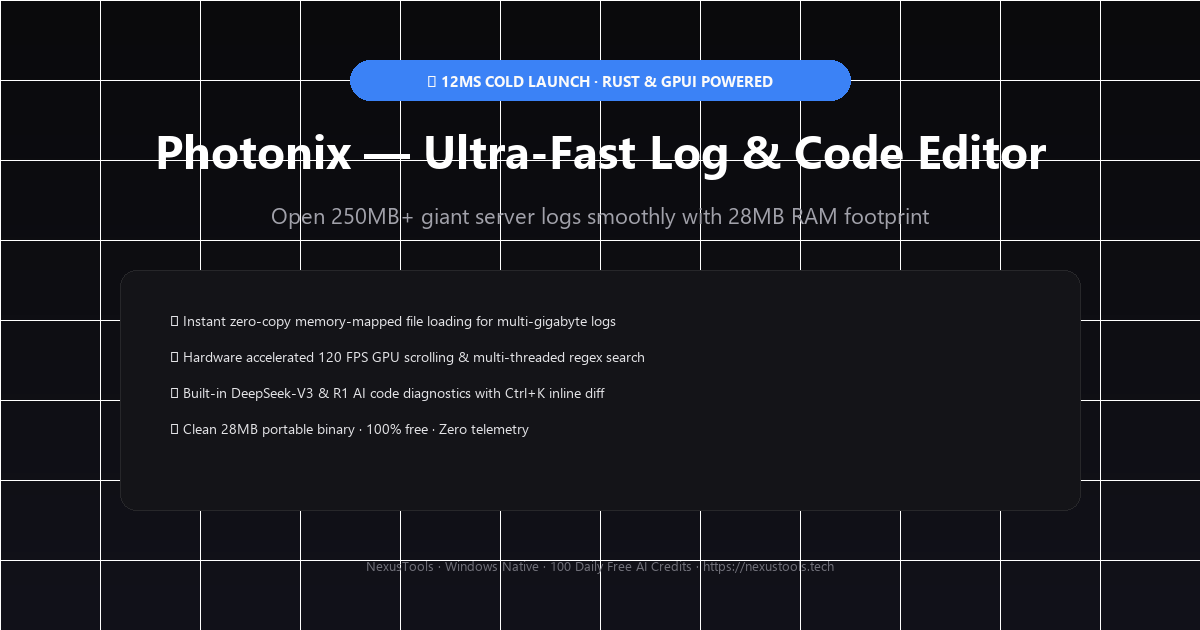
Download Photonix for Windows free. Native Ollama connection, 12ms large file opening, and 100 daily free AI credits.